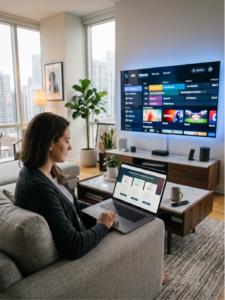

Introduction: The Biggest Mistake When Choosing an IPTV Subscription Online
You’re scrolling through options for an iptv subscription online, and the numbers are dazzling. “10,000+ channels!” or “Only $5 a month!” It’s tempting to think the highest count or the lowest price wins. This is the trap. Focusing solely on these two metrics is the single biggest mistake you can make, often leading to a frustrating experience of endless buffering and poor support.
The real pillars of a premium streaming service are far less flashy but infinitely more important: stability, video quality, and reliable customer support. This guide will shift your focus from superficial metrics to these core criteria, empowering you to make an informed, confident choice for a seamless viewing experience.
Table of Contents
What Exactly is an Online IPTV Subscription?
IPTV, or Internet Protocol Television, is exactly what it sounds like: television content delivered via the internet instead of traditional terrestrial, cable, or satellite signals. Think of it as streaming live TV channels and on-demand content directly through your internet connection.
It differs from legal streaming apps like Netflix or Hulu in its delivery model and content scope. While Netflix offers a curated, on-demand library, a typical IPTV service provides a vast array of live channels, including international, sports, and premium networks, in real-time. The service provider’s role is to source these streams and deliver them reliably to your device. Their server stability is paramount—without it, even the most extensive channel list is worthless.
Essential Criteria for Choosing the Best IPTV Subscription
Forget the channel count. Use this checklist to evaluate the true quality of a service.
1. Stream Stability & Server Reliability
This is the non-negotiable foundation. A stable stream with minimal buffering is more valuable than a service with 20,000 channels that buffers every minute. Reliability means the service works during peak viewing times, like a major sports final. Constant buffering and frequent server downtime are immediate red flags that signal an overloaded or poorly maintained infrastructure.
2. Video Quality and Resolution Options
Look for services that clearly state their resolutions: SD (Standard Definition), HD (High Definition), FHD (Full HD), and 4K/UHD (Ultra High Definition). More important than the maximum resolution is the presence of adaptive bitrate streaming. This technology automatically adjusts the video quality based on your current internet speed, preventing pauses and ensuring the smoothest possible playback, which is crucial for reducing buffering.
3. Electronic Program Guide (EPG) Quality
A good EPG is your TV guide. It displays program schedules, show descriptions, and air times. A complete, accurate, and well-organized EPG is crucial for navigation. Many cheap services have broken, incomplete, or days-outdated EPG data, turning channel surfing into a guessing game.

4. Content Library & Channel Organization
Instead of a raw number, assess if the offering matches your preferences. Are you a sports fanatic? Do you need specific international channels? A quality service will have a well-structured channel list—logically grouped by country, genre, or language—and a manageable VOD (Video on Demand) library that’s easy to browse. A chaotic list of thousands of unorganized channels is a usability nightmare.
Your Internet Speed: The Foundation for Quality Streaming
Your chosen best iptv subscription is only as good as your connection. While service stability is provider-side, your home network is your responsibility. As a rule of thumb, aim for:
- SD Quality: Minimum 3-4 Mbps.
- HD Quality: Minimum 12 Mbps (higher for stable 1080p).
- 4K/UHD Quality: Minimum 20-25 Mbps, with 50 Mbps recommended for rock-solid stability, especially in multi-user households.
Remember, other devices (phones, laptops, smart home gadgets) consume bandwidth. For optimal performance, use a wired Ethernet connection for your streaming device, ensure your router is modern and well-placed, and consider limiting bandwidth-heavy activities on other devices during streaming.
Device Compatibility: Will It Work on Your Setup?
Before subscribing, verify compatibility with your devices. A flexible service supports a wide range. Common devices include Smart TVs (via dedicated apps or built-in players), Android TV Boxes, Amazon Fire TV Stick, and MAG boxes. Some providers offer their own branded apps, while others supply an M3U playlist or Xtream Codes API to use with popular third-party players like IPTV Smarters, TiviMate, or Kodi.

Evaluating Service Support and Trial Periods
The Value of a Reliable Customer Support Channel
When something goes wrong—and it sometimes will—accessible support is critical. Look for services with responsive support via Telegram, live chat, or a ticketing system. The absence of support means you’re left to solve playback or configuration issues alone.
Always Test with a Free Trial or Short Subscription
Never commit to a long-term plan without testing. A 24-48 hour trial is ideal. During the trial, stress-test the service: watch during evening peak hours, rapidly switch between channels (especially sports and premium ones), check the EPG accuracy, and try the VOD section. This hands-on test reveals more than any sales pitch.
Common Mistakes to Avoid Before You Subscribe
- Ignoring Terms & Payment Security: Avoid services that only accept cryptocurrency or shady payment methods. Legitimate operations offer standard, traceable payment gateways.
- Falling for “Lifetime” Subscriptions: These are almost always a red flag. The IPTV landscape changes rapidly; a “lifetime” guarantee is unrealistic and often a scam.
- Overlooking Updates: A good provider regularly updates their app for bug fixes, new features, and security patches. An outdated app is a sign of neglect.

Conclusion: Making a Smart Choice for Premium Streaming
Choosing a reliable iptv subscription online is about prioritizing experience over price tags. Recap the non-negotiables: stream stability over channel quantity, adaptive video quality, proper device compatibility, and the safety net of customer support. Investing time in research and utilizing trial periods will yield a far better return than chasing the cheapest offer. By focusing on these pillars, you equip yourself to find a service that provides genuinely seamless, high-quality entertainment, which is the true hallmark of the best iptv subscription for your needs. For more detailed guides on setting up IPTV on specific devices or optimizing your home network, explore our other informative articles.
IPTV Subscription Online: Frequently Asked Questions (FAQs)
- Is IPTV legal? The technology itself is perfectly legal. However, the legality of a specific service depends entirely on whether it holds proper broadcasting licenses for the content it distributes. Many services operate in a grey area, so it’s important to understand the risks in your region.
- What’s the difference between a cheap and a premium IPTV subscription online? The difference lies in reliability, support, and infrastructure. A cheap service often has oversold servers leading to buffering, no customer support, and poor EPG. A premium service invests in robust servers, offers responsive support, and provides a polished, stable user experience.
- Can I use one subscription on multiple devices at once? This depends on the provider’s “connection” policy. Most allow 1-3 simultaneous connections. Using more than permitted can get your account banned. Always check the fair usage policy.
- Why do I experience buffering even with fast internet? Causes can be on the provider’s side (overloaded servers), your local network (Wi-Fi interference, old router), or your device (insufficient processing power). Using an Ethernet cable and closing background apps on your device are good first steps.
- What should I do if my IPTV service stops working? First, check your internet connection and restart your device/router. Then, visit the provider’s website or status channel for outage announcements. If the problem persists, contact their support with details of the issue.